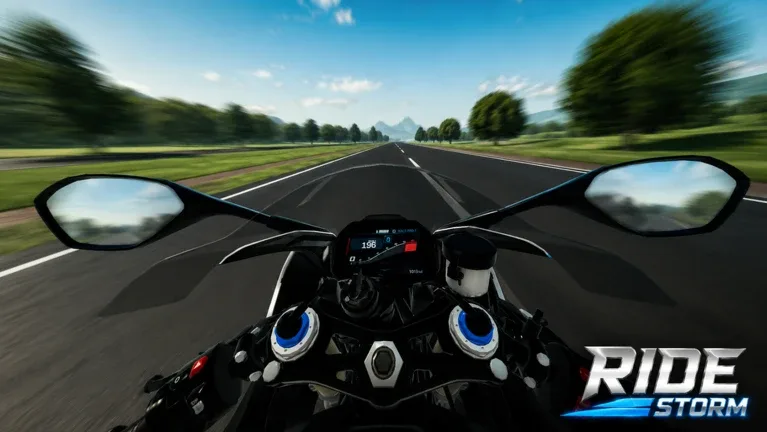
Discover the latest Ride Storm updates, including new UI enhancements, helmet cash multipliers, NPC traffic systems, and advanced environmental settings.
Published: Ride Storm Wiki Editorial Team
Table of Contents
Exploring the Latest Ride Storm Updates
Ride Storm has recently undergone significant changes that enhance the overall open-world motorcycle experience on Roblox. Whether you are a veteran rider or a newcomer, these updates provide more depth to the simulation aspects of the game. Based on recent community observations, the developers have focused on both visual quality and functional gameplay mechanics to make the world feel more alive and rewarding.
The most immediate change players will notice upon logging in is the refreshed user interface. The UI has been streamlined to offer better navigation, making it easier to access your bike inventory and settings without cluttering your screen. This update is part of a broader effort to improve the "feel" of the game, ensuring that the menus are as smooth as the bike physics themselves.
New Features: Helmets and Cash Multipliers
One of the most talked-about additions in this update is the introduction of helmets. While they may appear to be purely cosmetic at first glance, they serve a functional purpose in your progression.
Tip
Check the right side of your control panel to view available helmet variations. Equipping a helmet currently acts as a cash multiplier, which is an efficient way to increase your earnings while riding.
Community reports suggest that there are various designs available. If you find one that doesn't fit your aesthetic, don't worry—you can experiment with different variations to find the one that suits your character while maximizing your income. This addition encourages players to interact more with the game's economy rather than just focusing on racing.
Immersive World: NPC Traffic and Environment Controls
The open world of Ride Storm has received a major boost in realism. Previously, empty roads were the norm, but with the latest update, you will now encounter NPC cars navigating the streets. This adds a layer of challenge to your rides, as you must now weave through traffic, adding to the thrill of high-speed exploration.
Furthermore, if you find the default environment too restrictive, the updated settings menu provides granular control over your experience:
Time Manipulation: Switch between day and night cycles to suit your preference.
Weather Toggle: Adjust the weather conditions for a more immersive or challenging ride.
Traffic Density: Increase or decrease the number of NPC vehicles on the road to control the difficulty of your commute.
This level of customization is a welcome change, as it allows players to tailor the environment to their specific needs, whether they are looking for a relaxing cruise or a high-intensity racing challenge.
Mastering the Quest System
Alongside the visual and mechanical updates, the developers have implemented a more comprehensive quest system. These quests are designed to be self-explanatory and provide clear objectives for players looking to progress through the game.
According to player feedback, these tasks are integrated into the gameplay loop to help you unlock new rewards and gain a better understanding of the map. If you are ever unsure of what to do next, checking the quest menu is the best way to keep your momentum going. Completing these objectives is currently the most reliable way to earn rewards and advance your standing within the Ride Storm community.
Future Expectations and Community Feedback
While the current update has added a wealth of features, the community remains vocal about future possibilities. Many players are eagerly anticipating the potential for custom bike modifications, such as engine tuning or performance upgrades.
As of now, the game remains a premier open-world motorcycle simulator on Roblox, and the developers have shown a commitment to frequent improvements. By listening to player suggestions—such as the demand for better traffic management and UI improvements—the game continues to evolve.
Do helmets provide stats other than cash multipliers?
Currently, the primary function of the helmet in the latest update is to serve as a cash multiplier.
How do I change the traffic density?
You can navigate to the settings menu while in-game, where you will find sliders or buttons to adjust traffic density, weather, and the time of day.
Are there new bikes in this update?
The game already features over 90 motorcycles. While the focus of this specific update was on UI, NPC traffic, and environment settings, the existing fleet remains the core of the experience.