Ride Storm Map Guide: Exploring Highways, Cities, and Biomes
Master the Ride Storm map in Roblox with our complete guide to all biomes, efficient money-farming routes, and essential tips for navigating highways, deserts, and urban streets.
Published: Ride Storm Wiki Editorial Team
Table of Contents
Exploring the Ride Storm Open World
Navigating the map in Ride Storm is more than just getting from point A to point B; it is the core of the gameplay experience. As an open-world motorcycle simulator on Roblox, the game offers a diverse environment designed to test your riding skills, whether you are looking for high-speed highway runs or technical city cruising.
The map is segmented into four primary biomes, each providing a different riding experience. Understanding these areas is essential for both casual exploration and effective money grinding.
Highway
The primary zone for high-speed runs. It features long, uninterrupted stretches of road, making it the ideal location for testing your bike's top speed and farming cash efficiently.
City
A dense urban environment with tight corners, intersections, and traffic. This area is perfect for testing your bike's handling and tuning, as well as practicing precise cornering.
Desert
Characterized by long, flat, and dusty straights. The desert offers a unique aesthetic and acts as a secondary farming location for players who prefer a change of scenery from the highway.
Mountains
These areas provide winding roads and elevation changes. They are best suited for players looking to practice leaning and throttle control rather than raw top-speed acceleration.
Strategic Farming: Best Money Routes
If your goal is to grow your bank account and purchase new motorcycles, you need to be strategic about where you ride. According to community insights and established player strategies, not all roads are created equal when it comes to "grinding" for Cash.
The most effective money-farming strategy involves utilizing the long highway and desert straights. Because these areas allow you to maintain a high speed for longer durations without having to navigate frequent traffic or sharp turns, you can maximize your time-to-cash ratio.
Tip
Maintain Smooth Throttle Control
When farming on long straights, avoid erratic throttle adjustments. Keeping a steady, smooth throttle input helps maintain maximum velocity. If you are struggling with control, consider adjusting your bike’s suspension settings to prevent the front end from lifting unintentionally during acceleration.
Additionally, keep an eye on your UI. While you are farming, make sure you are actively looking for any active code drops or event notifications that might temporarily boost your earnings. The game often updates with new mechanics, so staying updated on the latest HUD changes is vital for efficient gameplay.
Optimizing Your Bike for the Terrain
Your choice of bike and how you tune it should depend heavily on which part of the map you intend to frequent. Ride Storm features over 80 bikes, and with the tuning system, you can significantly alter how a bike feels in different biomes.
When preparing for a ride, consider the following checklist to ensure your bike is optimized for the specific map area:
For Highway/Desert: Prioritize top speed and aerodynamics. Soften the suspension slightly to absorb road irregularities at high speeds.
For City/Mountains: Focus on grip and acceleration. Increase your tire grip settings to handle tight turns and rapid deceleration at intersections.
General Tuning: Always check your gear ratios if the game allows, ensuring you can reach top speed quickly without hitting the redline too early on long straights.
If you find yourself frequently crashing or losing control in the city, it is likely that your grip settings are too low. Conversely, if you feel "slow" on the highway, you may be over-tuned for handling at the expense of straight-line speed.
Mastering Navigation and Controls
The controls in Ride Storm are designed to be intuitive, but mastering them takes practice, especially when navigating the more complex, traffic-heavy sections of the city map.
For PC players, the standard control scheme is:
W/S: Throttle and Brake
A/D: Steering
L: Lights
Left Shift: Handbrake
V: Toggle First-Person View
Tip
Use First-Person View for Practice
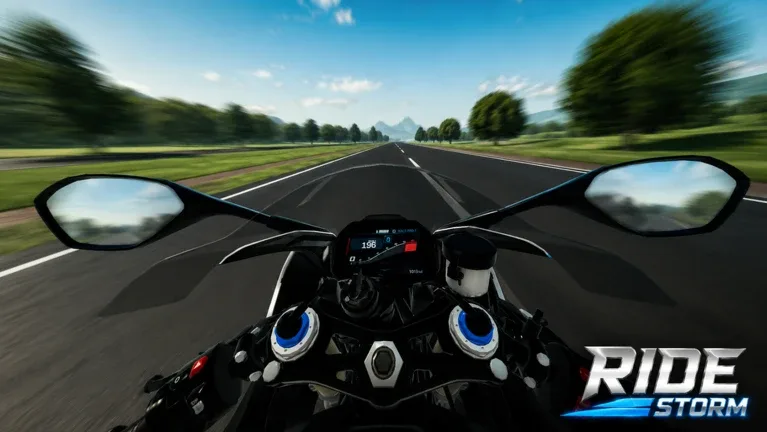
While third-person view is great for general cruising and seeing the map, switching to first-person view is highly recommended when practicing wheelies or navigating through tight city traffic. It provides a better sense of scale and precision, which is crucial for mastering technical roads in the mountain or city biomes.
FAQ: Common Questions About Ride Storm
How do I redeem codes in Ride Storm?
To redeem codes, open the game and look for the "Codes" button located in the bottom-left corner of your screen. Click it, paste your code into the text box, and press Submit. Ensure you are using active codes to receive your Cash rewards.
What are the current active codes?
As of the most recent update, active codes include 30MVISITS, NEWUPDATE, OPTIMIZATION, BDAY, SORRYFORTHAT, SETBACK, and ANIMBUG. Please note that codes expire over time, so verify their status in-game or via official community channels.
Where can I find the official Discord?
You can find the link to the official Ride Storm Discord community on the game's official Roblox page. Joining the Discord is the best way to get real-time updates on new map additions, code drops, and community ride-outs.
Is there a fastest bike in the game?
There is no single "best" bike. The fastest bike depends heavily on your specific tuning and the type of road you are riding on. Check the in-game tier lists or community-maintained wikis to compare stats for the sport and super class motorcycles.