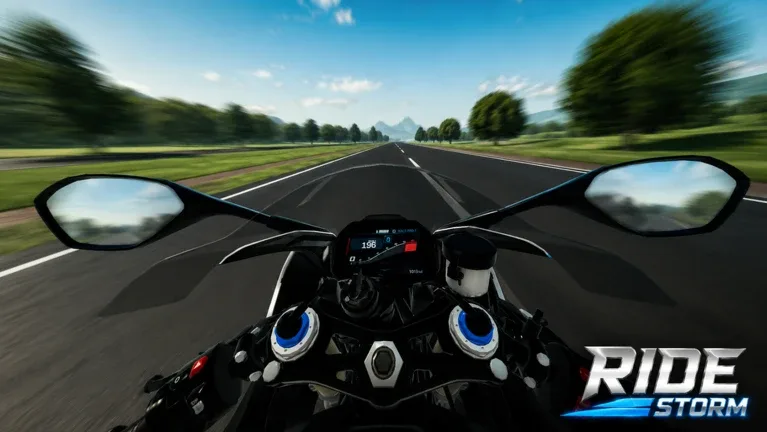
Ride Storm Keybinds and Control Guide: Master Your Motorcycle
Learn the essential keybinds in Ride Storm, including how to manage your parking brake, switch gear modes, and perform wheelies in this Roblox motorcycle simulator.
Published: Ride Storm Wiki Editorial Team
Table of Contents
Understanding Ride Storm Controls
Ride Storm is a realistic motorcycle riding simulator on Roblox, and like many vehicle-based games on the platform, it relies on a set of specific keybinds to manage your bike's physics. Whether you are cruising through the map or trying to show off at a bike meet, understanding how your motorcycle behaves is the first step toward becoming a skilled rider.
Most players are familiar with standard movement keys, but Ride Storm introduces specific mechanics for gear shifting and braking that can catch new players off guard. If your bike feels like it is stuck or won't move, it is almost certainly a result of the parking brake being engaged.
Essential Movement and Handling
The foundation of your driving experience in Ride Storm centers on the keyboard. While the game handles acceleration and steering through standard inputs, the "extra" keys are what define the simulation experience.
Acceleration (W): Your primary input for moving forward.
Parking Brake (Shift): This is a toggle control. If you find your bike is unresponsive, check if you have accidentally toggled the Shift key. In many simulation-style Roblox games, the parking brake is necessary for parking at meets or stops, but forgetting to release it is a common point of confusion for beginners.
Gear Mode (M): This key toggles your transmission between Automatic and Manual. For most general riding, Automatic is fine. However, if you are looking to perform stunts or maximize your bike's performance, switching to Manual mode is essential.
How to Perform a Wheelie
One of the most popular questions among the Ride Storm community is how to perform a perfect wheelie. While the game's physics are not purely realistic, there is a specific mechanical "trick" that experienced players use to get their front wheels off the ground. According to community guidance, this maneuver is not available on every bike, so you may need to test it on several models in your garage to find one that supports this behavior.
Performing a Wheelie
Select Your Bike: Choose a motorcycle from your garage. Note that not all bikes in the game are capable of performing this stunt, so experimentation is key.
Check the Parking Brake: Ensure your parking brake is OFF by pressing the Shift key. You cannot perform a wheelie if the brake is engaged.
Switch to Manual Mode: Press the M key to change your gear mode to Manual.
Select the Right Gear: Shift into Gear 1 or Gear 2. While Gear 2 is often the sweet spot for many bikes, you should test both to see which provides the necessary torque for your specific bike model.
Initiate the Wheelie: While in the chosen gear, press and hold the W key. Your bike should lift its front wheel and maintain the position as long as you hold the throttle.
If you find that your bike is not responding, return to your garage and try a different motorcycle. Different bikes have different weight distributions and power outputs, which directly affect how they handle these specific inputs.
Managing Your Economy and Codes
To afford the higher-end motorcycles or to purchase performance upgrades for your current ride, you will need a steady supply of in-game cash. The developers of Ride Storm frequently release codes that provide free currency, allowing players to skip the grind and get straight to customizing their bikes.
Redeeming Codes
Redeeming these rewards is straightforward and does not require any complex keybinds. Follow these steps to ensure you are getting your free cash:
Look for the blue gift box icon on the game interface.
Click the icon to open the code redemption window.
Type or paste your code and click the "Redeem" button.
Always ensure you are using up-to-date codes. Many codes in the community are time-sensitive or event-based. If a code does not work, it has likely expired. Using these codes is the most efficient way to climb the leaderboard and acquire the "most expensive" bikes mentioned by long-time players.
Connecting with the Community
The Ride Storm community is highly active, especially when it comes to sharing tips on bike tuning, finding the best routes for races, and reporting bugs. Because the game receives regular updates, information about which bikes are "meta" or which codes are active can change quickly.
Staying Updated
If you are serious about mastering the game, joining the official Discord server is highly recommended. Not only is it a place to find the latest announcements from the developers, but it also serves as a hub for:
Contests: Participate in riding challenges organized by the community.
Feature Suggestions: Have a say in what the developers should add next.
Code Drops: Get notified immediately when new promotional codes are released.
While the Discord server can sometimes be a busy place with varying opinions, it remains the most reliable source of truth for the game's current status and any changes to control schemes or mechanics.
FAQ
Why isn't my bike moving in Ride Storm?
The most common reason is that your parking brake is engaged. Press Shift to toggle it off. If your bike is still not moving, ensure you are in a valid gear and check if you are stuck on terrain.
Do all bikes perform wheelies the same way?
No. Wheelie performance depends on the specific bike's stats and weight. If the method (Manual mode, Gear 1/2, Hold W) does not work for your current bike, try testing it with other motorcycles in your garage.
Where can I find new codes for Ride Storm?
You can find new codes by joining the official Ride Storm Discord server or by checking community-maintained guides. Always ensure you are using a reliable source to avoid misinformation regarding expired codes.
What is the difference between Manual and Automatic mode?
Automatic mode handles gear shifting for you, which is ideal for casual cruising. Manual mode gives you control over your gear selection, which is necessary for specific maneuvers like wheelies and can provide better control over acceleration in race scenarios.