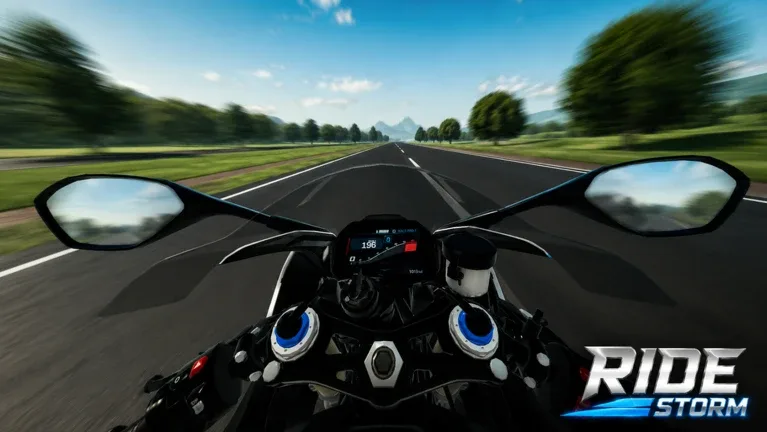
Ride Storm Roblox Guide: Mastering Your Bike and Speed
Struggling to find the fastest bike in Ride Storm? Learn how to optimize your ride, navigate the game's mechanics, and join the community on Roblox.
Published: Ride Storm Wiki Editorial Team
Table of Contents
Getting Started with Ride Storm on Roblox
Ride Storm has quickly become a staple for players who enjoy high-speed, bike-focused experiences on the Roblox platform. If you are new to the game, the premise is straightforward: you are placed in a world where speed is everything, and your primary tool for success is your bike. Unlike some open-world simulators that focus on complex management, Ride Storm emphasizes the feel of the ride and the competitive nature of pushing your vehicle to its limits.
Whether you are a casual player looking to cruise or a competitive racer aiming for the top of the leaderboards, understanding the mechanics of your bike is essential. As you progress, you will realize that not all bikes are created equal. Some offer superior acceleration, while others are built for top-end speed. Navigating these choices is the first step toward dominating the tracks.
How to Choose the Best Bike for Your Playstyle
In Ride Storm, your choice of bike dictates your entire experience. Many players often ask how to identify the "best" bike. While the meta can shift with game updates, the community generally categorizes bikes based on specific performance metrics.
Speed-Focused Bikes
These are the go-to vehicles for straight-line racing. If your goal is to set the fastest lap time on simple tracks, prioritize bikes with high top-speed stats. They may have lower handling, requiring more precision on turns.
Handling-Optimized Bikes
Ideal for technical tracks with many corners. These bikes might sacrifice top speed for tighter turning radiuses, allowing you to maintain momentum through complex sections without braking as hard.
All-Rounder Bikes
Perfect for beginners or players who explore diverse environments. These bikes provide a balanced stat profile, making them reliable choices for general gameplay and casual exploration.
Before committing to a purchase or an upgrade, observe how other high-ranking players are performing. Often, the "community bike" of choice—the one most frequently seen at the top of the leaderboards—will give you a strong hint about which vehicle currently holds the best performance meta.
Tips for Improving Your Riding Performance
Once you have secured your preferred bike, the next step is mastering it. Speed in Ride Storm is not just about the vehicle's stats; it is about how you interact with the game's physics and map layout.
Learn the Track Layouts: Spend time riding the tracks without focusing on speed. Memorize the corners and potential shortcuts.
Master Braking Points: Knowing exactly when to brake before a sharp turn is more effective than braking mid-turn, which often leads to losing traction.
Upgrade Strategically: Do not spend your currency on cosmetic upgrades until your performance stats (speed, acceleration, handling) are fully optimized.
Practice Drafting: If the game mechanics allow, follow behind faster players to gain a slipstream advantage, which can help you reach higher top speeds.
According to community reports, players who focus on consistent, smooth inputs—rather than erratic steering—consistently achieve better times. Avoid over-correcting your bike's direction, as this can cause you to lose valuable speed.
Engaging with the Ride Storm Community
The Ride Storm community is a vital resource for any player. Because the game is hosted on Roblox, it benefits from a massive social network where players constantly share findings. If you are looking for the "community bike" or specific setups, the best place to start is by interacting with veteran players in the game's servers or related social media groups.
Tip
When looking for advice, be specific. Instead of asking "what is the best bike," try asking, "What is the best bike for handling on the [specific track] map?" This yields much more useful and accurate information from experienced players.
Engaging with the community also helps you stay updated on events. Ride Storm frequently features seasonal updates or limited-time events that may introduce new bikes or tracks. Keeping an eye on the official game page and community discussions ensures you never miss out on limited-time rewards or meta-shifting vehicles.
Frequently Asked Questions
How can I find the fastest bike in Ride Storm?
The "fastest" bike can change depending on recent game updates. Check the in-game shop and compare the stats of available bikes. Community forums or the game's official Discord server are also great places to see what top players are currently using.
Are there specific bikes for beginners?
Yes, most beginners should start with the "All-Rounder" class of bikes. These vehicles provide a balanced experience, allowing you to learn the game's physics without being hampered by extreme speed or difficult handling mechanics.
How do I upgrade my bike?
Upgrades are typically handled through the in-game menu or designated upgrade stations. Ensure you have collected enough in-game currency by participating in races or completing challenges before attempting to upgrade your bike's performance parts.
Can I trade bikes with other players?
Trading features depend on the current game build. Check the game's menu or interact with the in-game trading interface to see if bike trading is enabled. Always be cautious when trading with other players to avoid scams.